macOS · Adobe Lightroom Classic
Your keyboard.
Your Lightroom.
Darkroom Deck turns your keyboard into a customizable Lightroom Classic editing console.
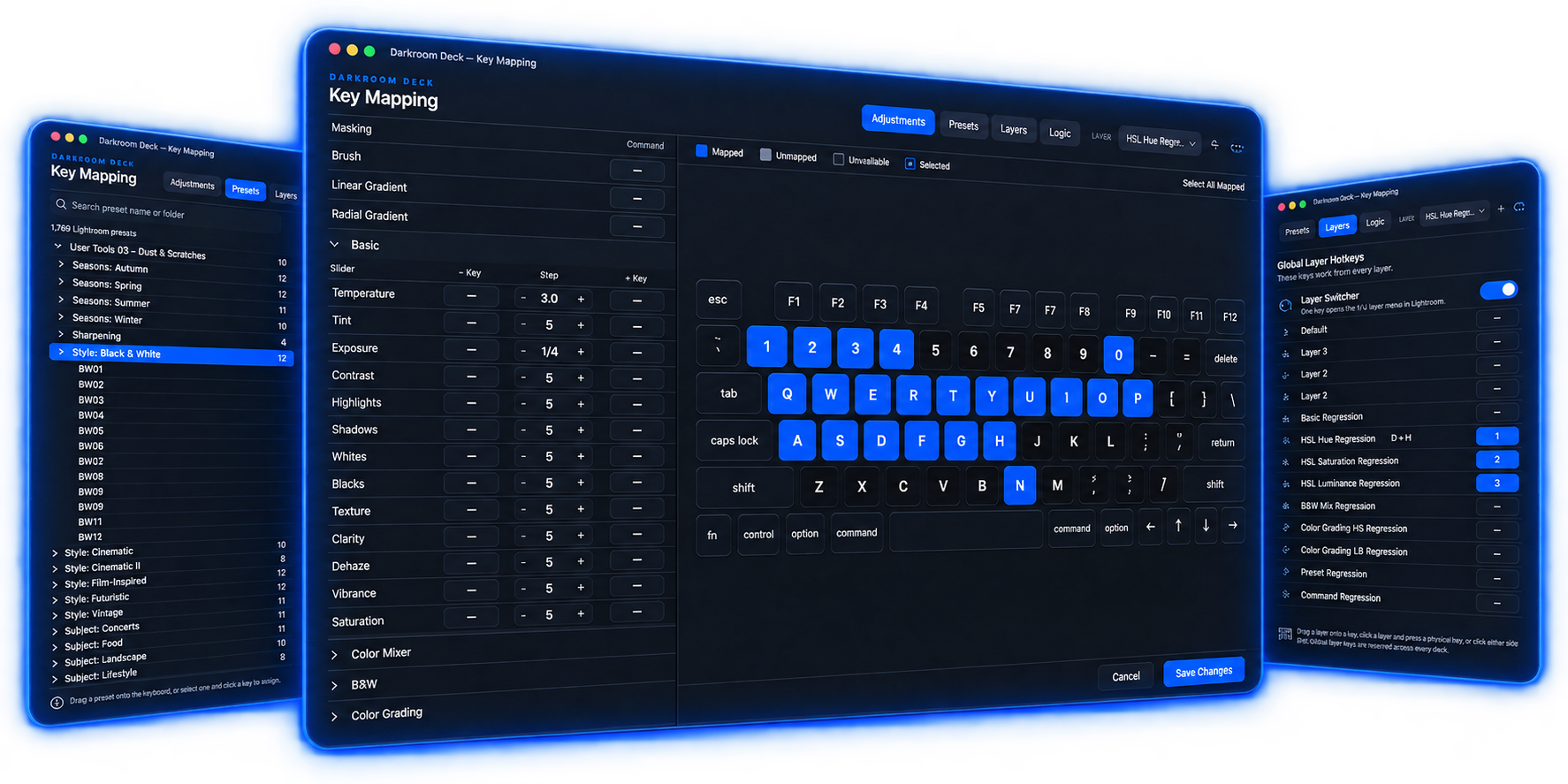
Build the Lightroom keyboard that makes sense to you.
- 01
Put the controls where your hands expect them
- Map the Lightroom adjustments you use most to the keys that feel natural. Exposure, white balance, contrast, color and more.
- 02
Set your own step sizes
- Choose how much each key press changes an adjustment. Make small moves when you want precision and bigger moves when you want speed.
- 03
Put your presets on keys
- Map your Lightroom presets directly to your keyboard, including presets that use Lightroom's AI features.
- 04
Keep your tools close
- Keep masking tools like Brush, Linear Gradient and Radial Gradient one key away.
- 05
Build your own layouts
- Create separate keyboard layouts for portraits, sports, concerts, black and white or anything else you shoot. Switch between them without leaving Lightroom.
Demo
Press a key. Lightroom responds.
See Darkroom Deck map controls and presets, then watch those keys control Lightroom Classic in real time.
The visual keyboard
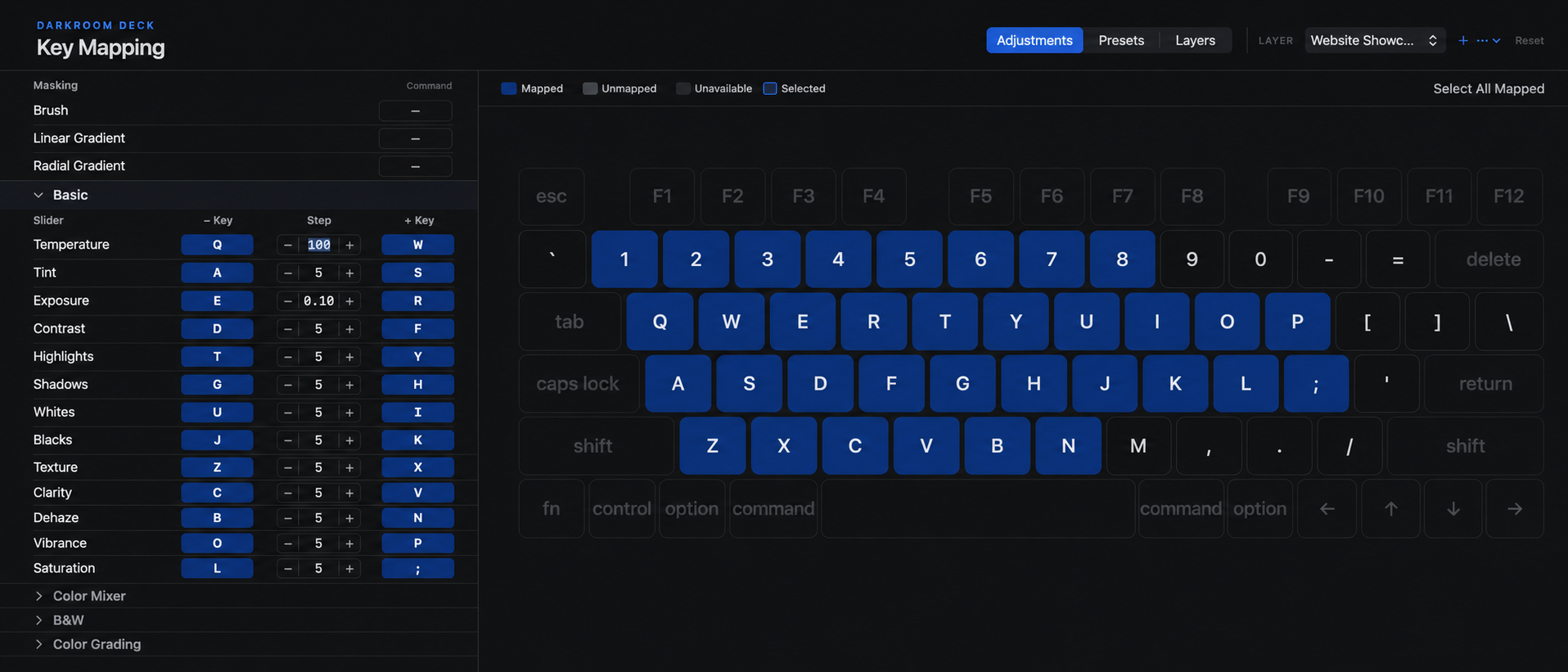
No shortcut cheat sheet required.
The keyboard is the interface. Darkroom Deck shows you what each mapped key does, so your setup is always visible.
Inside the app
More than just sliders.
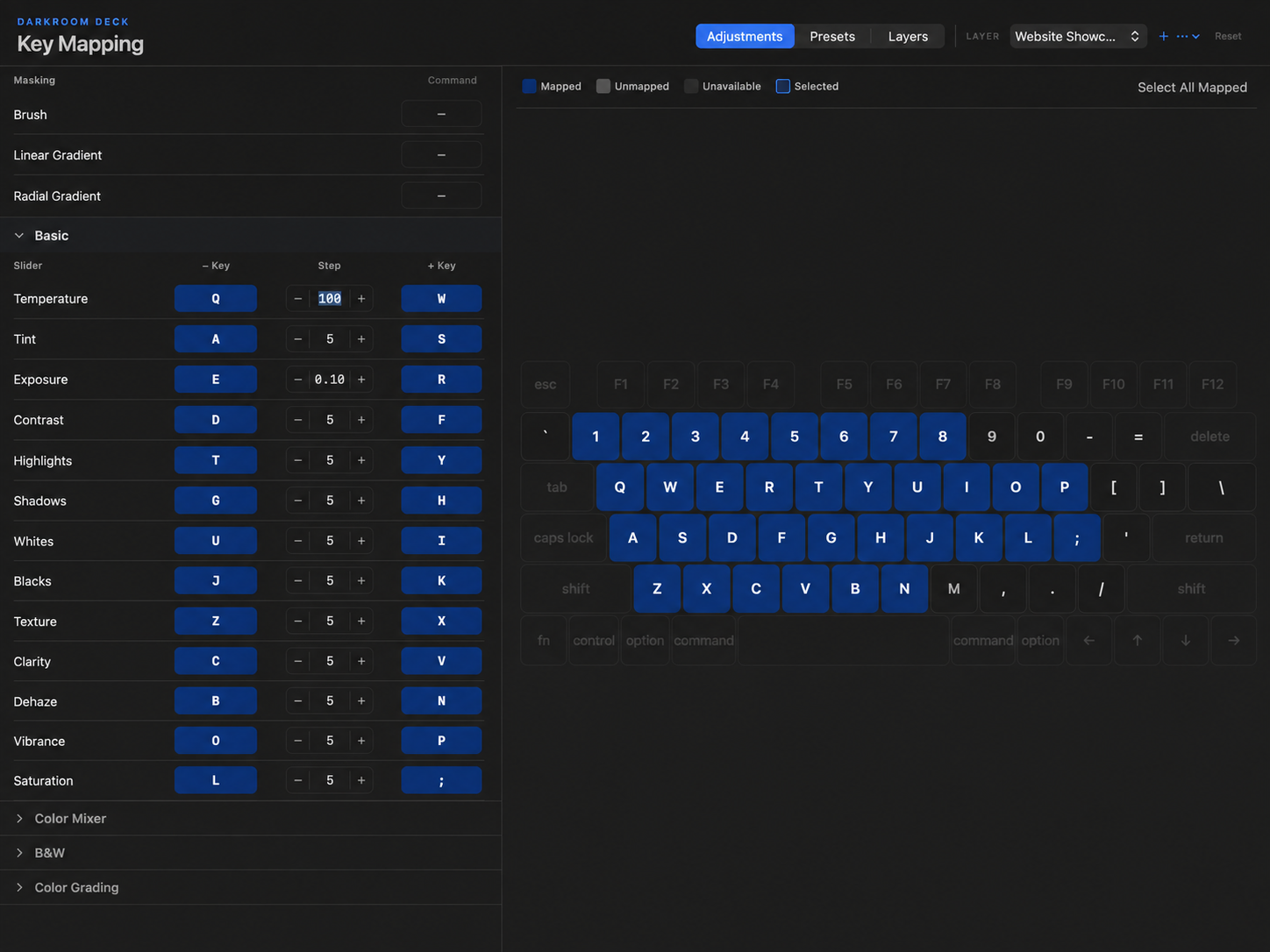
Map Lightroom controls and choose your step sizes.
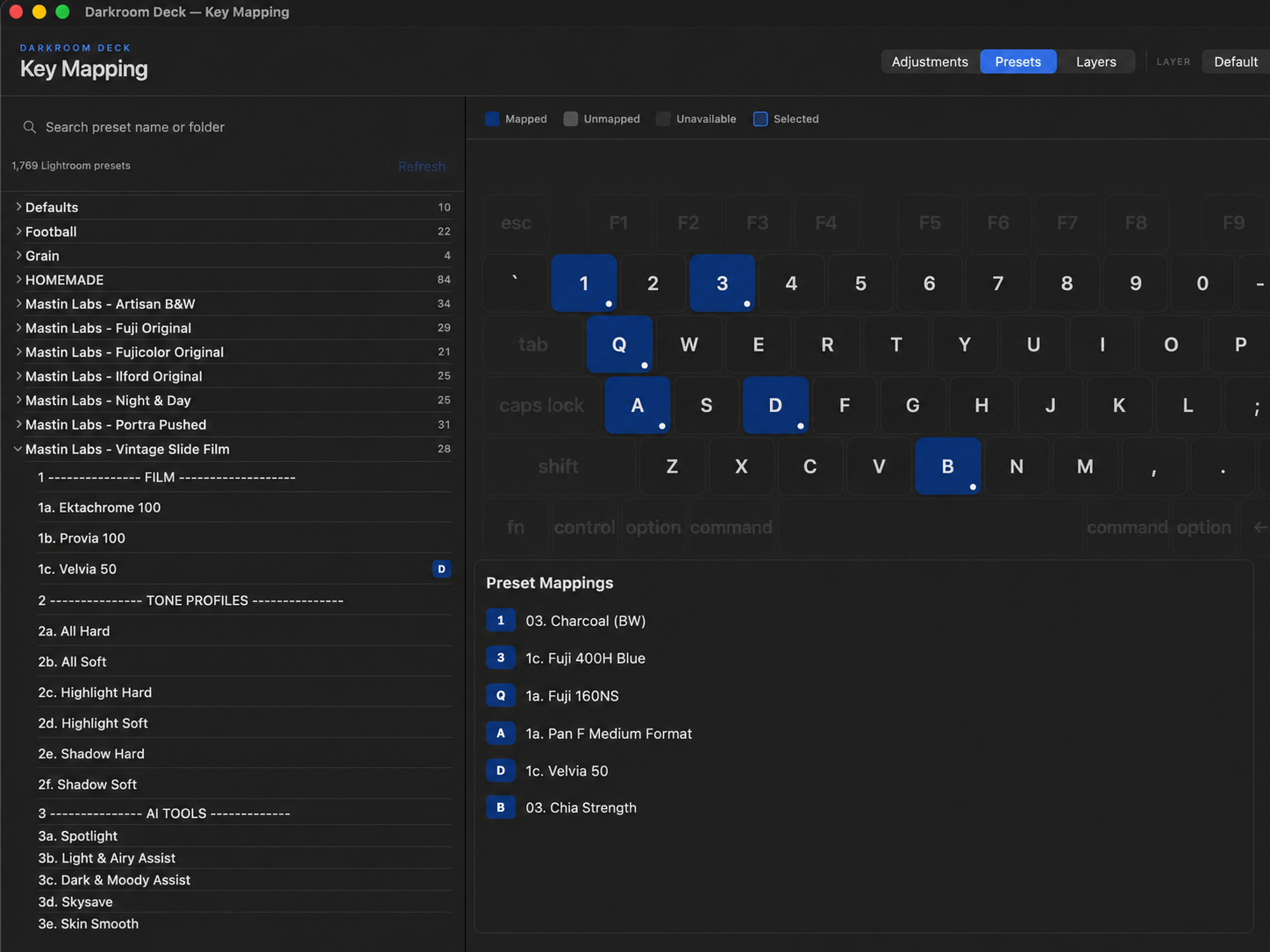
Put Lightroom presets directly on your keyboard.
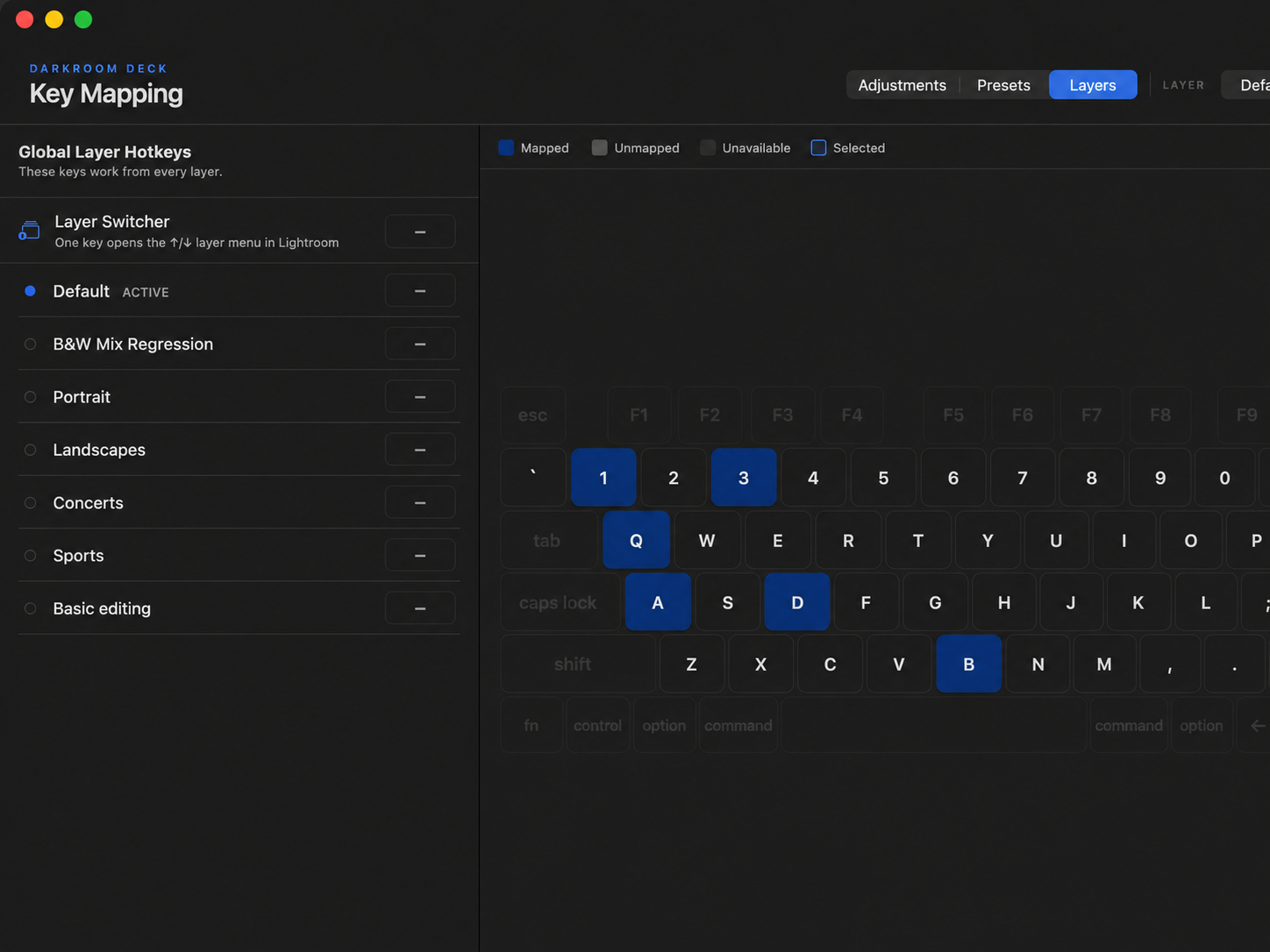
Build separate keyboard setups for different kinds of work.
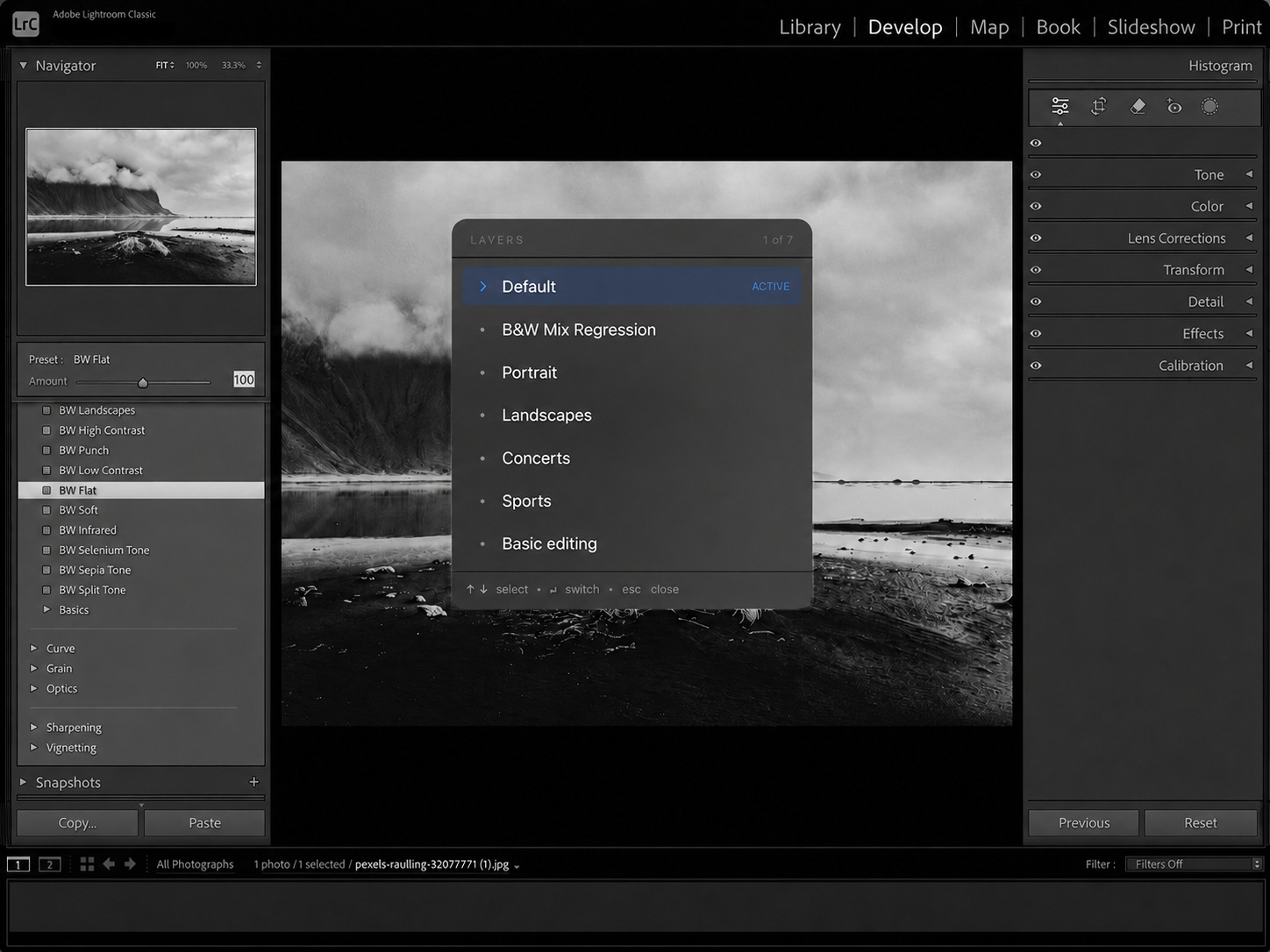
Jump between layouts without leaving Lightroom.
Why it exists
Editing should feel like muscle memory.
Your camera setup is personal. Your Lightroom keyboard should be too. Put the controls where your hands expect them, so you can spend less time thinking about shortcuts and more time editing.
Stop memorizing somebody else's workflow.
Founding cohort
Get early access and help shape the launch.
We're opening Darkroom Deck to a small group of Lightroom Classic photographers before the public launch. We're keeping the group small so we can actually listen to everyone using it. Try it in your real workflow, tell us what works, what doesn't and what you would change.
Built for the way you already edit.
15-DAY MAC TRIAL · NO PAYMENT REQUIRED · LIGHTROOM CLASSIC
Questions
- What is Darkroom Deck?
- A Mac app that turns your keyboard into a customizable Lightroom Classic editing console.
- Does it replace my keyboard?
- No. It turns the keyboard you already use into a Lightroom editing console.
- Do I need special hardware?
- No.
- What platforms are supported?
- macOS 14 or later on Apple Silicon and Intel Macs. Darkroom Deck works with Adobe Lightroom Classic.
- Is Darkroom Deck available to download yet?
- Not publicly. We're inviting a small group of photographers into the Founding Cohort before the public release.
- Will this be a subscription?
- No. Darkroom Deck is planned as a one-time purchase.
- Can I request cohort access?
- Yes. Apply through the Founding Cohort form.